
Coinbase does not call you. Coinbase does not text you a "verification code" out of the blue. Coinbase does not have a support agent who can join a screen-share to help "secure your wallet."
However, nearly every Coinbase scam in circulation presently relies on you believing otherwise, if only for the thirty seconds it takes to click a link or share a code.
Many people picture an online scam as something technical: a hack, a flaw in computer systems.
That is rarely the case. You are more likely to be the target than Technical infrastructure (including Coinbase’s).
Account losses, drained wallets, the wire transfers to a "secure vault" that was never secure: all run through the same gap. There is no easy way for an account holder to tell a real Coinbase message from a fake one.
The Four Faces of a Coinbase Scam
Nearly every report follows one of these patterns:
- “Suspicious activity” alert texts: A text message claims suspicious activity was detected on your account. It asks you to reply, click a link, or call a number. If it sends a link, that link goes to a page that looks identical to Coinbase's real login screen.
- Phishing emails: An email warns that your account will be suspended, restricted, or closed unless you "verify" your identity within 24 hours. Urgency is key: the email is designed to get you moving before you start questioning it.
- Fake support calls or ads: Scammers buy search-related ads or post fake phone numbers that pretend to be Coinbase’s customer service. When you call for help, they walk you through "securing" your account, which really means handing over access to the scammer.
- "Safe wallet" transfer scams: Someone posing as a Coinbase security representative convinces you that your funds are at risk and the only way to protect them is to move your crypto to a new wallet they control. Once it moves, it is gone.
In all four scenarios, Coinbase is never involved. The email did not come from Coinbase. The phone number was not Coinbase's. The "agent" you spoke to does not work there. Everything you saw was built by the scammer to be convincing at a glance, not to survive a second look.
This isn't a hypothetical. In late 2025, Coinbase worked with the Brooklyn District Attorney's Office to help bring charges against a man accused of running exactly the "safe wallet" scheme described above. He posed as Coinbase support, telling customers their accounts were "hacked", convincing them to move their funds. Prosecutors alleged that close to $16 million was stolen from roughly 100 victims across the United States before the scheme was broken up. Only a fraction of that amount has been recovered. Coinbase's own statement on the case is blunt: "Coinbase will never ask you to transfer crypto to a 'safe wallet.' If someone tells you to move funds to protect them, it's a scam."
What a Real Coinbase Message Looks Like vs. a Fake One
Read these the way most people read a text: quickly, on a phone, mid-scroll.
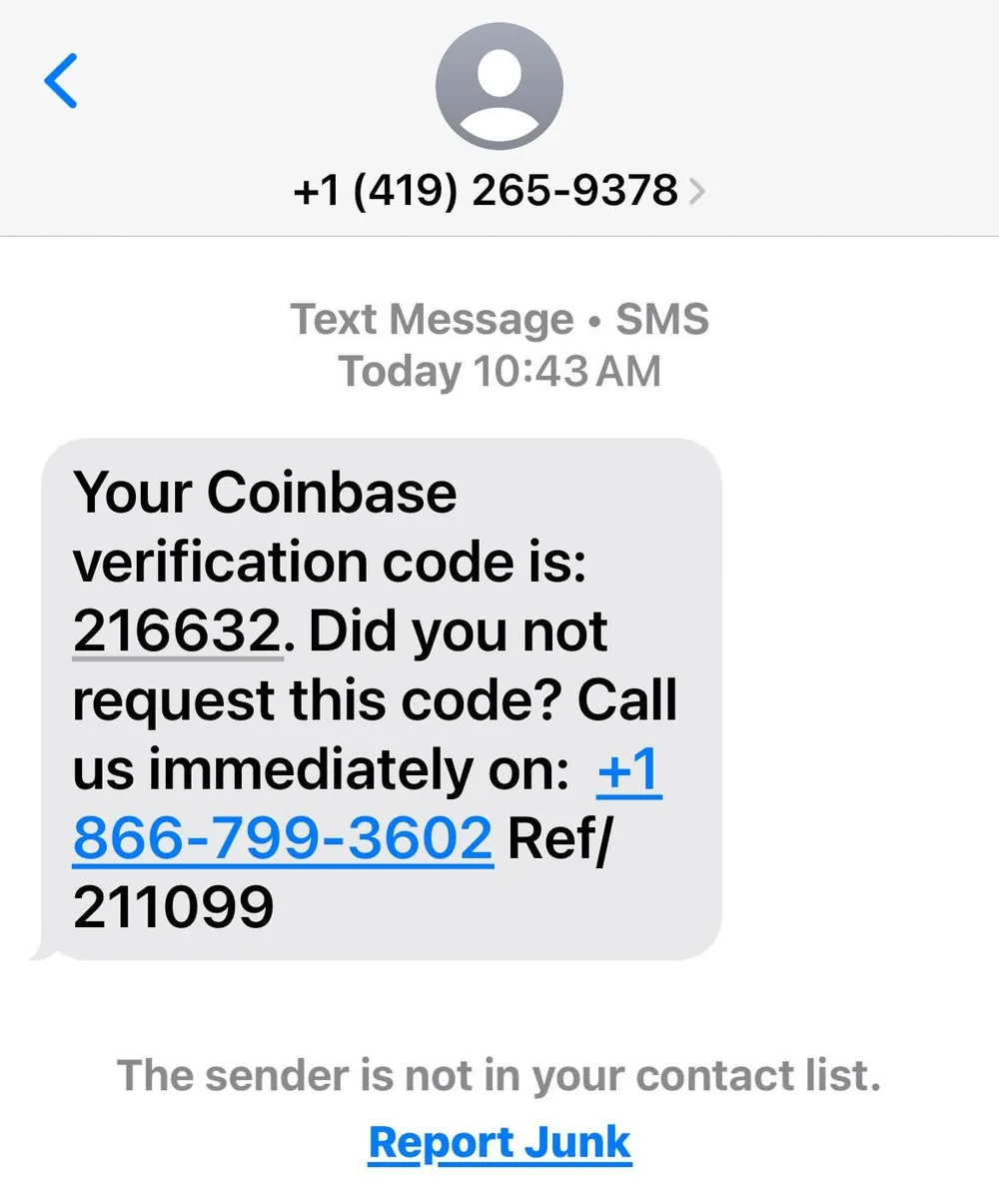
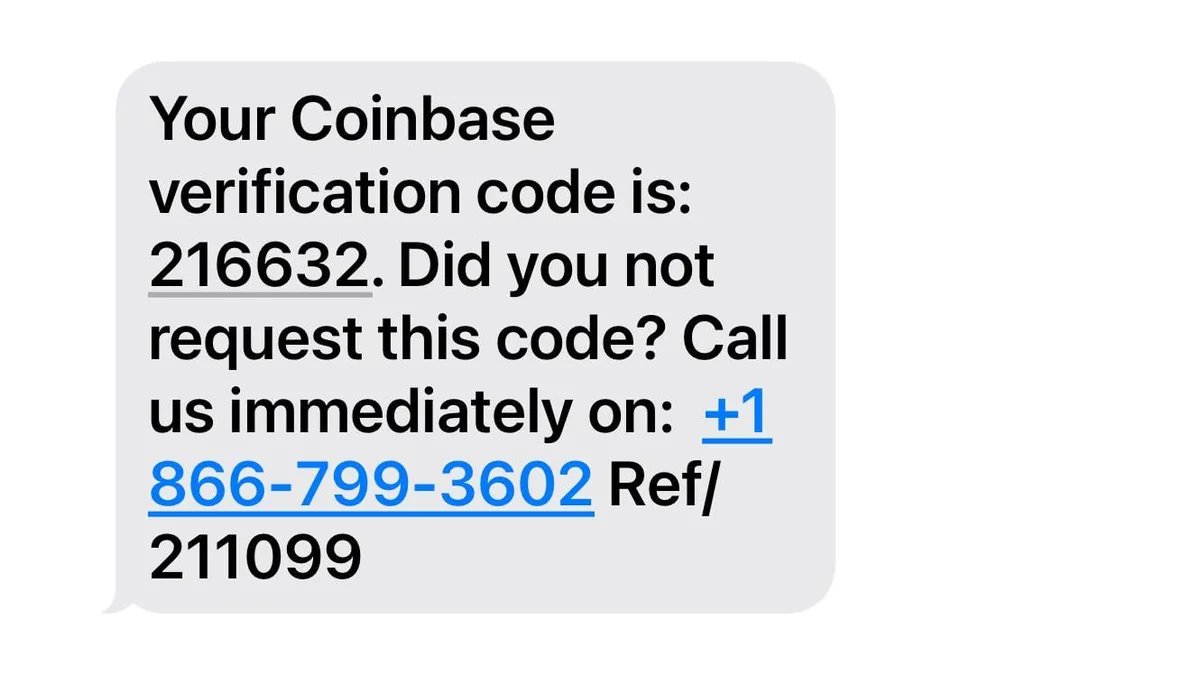
A real one, received in the wild. The code is bait, the real goal is the callback number, not the code. Note the sender is an ordinary mobile number, and iOS itself flags that it isn't in your contacts.
| Real Coinbase Behavior | Common Scam Version | What Changed |
|---|---|---|
Emails come from @coinbase.com | Emails from coinbase-support.com or coinbase.verify-account.net | Extra word or wrong domain |
| No unsolicited phone calls | Caller ID shows "Coinbase Support" | Spoofed caller ID |
| Never asks for your password | Asks you to "confirm" your password over the phone | Passwords are for you alone, always |
| No such thing as a "safe" or "vault" wallet transfer initiated by support | Urges you to move funds to a new wallet immediately | Coinbase never asks you to move funds anywhere |
None of these differences are subtle if you're looking for them. That's exactly what scammers are hoping for.
Why "Just Double-Check It" Is Not Good Enough
The standard advice: check the sender's email address or call Coinbase back on an official number. That's correct, but it assumes you will think of it.
A convincing scam does not give you time to think of it. It opens with a fake fraud alert designed to give you a sense of urgency, spiking your adrenaline.
- From:
- Coinbase Security <alerts@coinbase-account-verify.com>
- Subject:
- Unusual login detected. Action required within 24 hours.
- Body:
- We noticed a sign-in from a new device. If this wasn't you, verify your identity immediately to prevent account suspension.
Everything here is built to be skimmed, not examined. The sender name, the urgency, the deadline. All of it is designed to short-circuit the “double-check" instinct that would normally protect you.
What Actually Helps
A few habits close most of the gap scammers rely on:
- Coinbase will never ask for your credentials: Never share your password, 2FA code, or seed phrase by phone, text, email, or chat. Any request for these is the scam, full stop.
- Navigate independently: Go directly to the official Coinbase app or manually type coinbase.com into your browser. Never use a link from a text or email.
- Hang up and initiate contact yourself: If "Coinbase support" calls you, end the call immediately and reach out exclusively through the official app.
- Treat urgency as a warning sign: Treat high urgency as an indicator of fraud, not a reason to act fast. Real account security issues do not expire in 24 hours.
The Pattern Behind the Pattern
This is the same trick behind wire fraud, invoice impersonation, and most business email compromise: the target has no independent way to confirm that what they're looking at is real, so the attacker only needs to make it look close enough. Coinbase scams just apply that idea to individuals instead of businesses.
That's the exact problem Stingray Security works on: closing the verification gap that impersonation fraud depends on, whether it's a fraudulent wire instruction or a fake support call. If your organization handles sensitive client communications or payments and wants to make impersonation harder to pull off, take a look at what we build.