
I Clicked a Phishing Link: What Now?
You clicked it. Maybe you realized halfway through the click. Maybe you only figured it out after the page loaded and something felt off. Either way, the good news is that the panic that follows is usually bigger than the actual risk of clicking something you shouldn't have. That said, there's one question that determines almost everything about how seriously to take this:
Did you just look at the page, or did you also type something into it?
Everything below branches off that one fact. Read the section that applies to you first.
First: this probably isn't the disaster it feels like
Our imaginations can paint a bad picture pretty quickly: a malicious webpage silently installing malware just from loading it and now your whole computer is compromised. This is a real, but extremely rare, threat against an up-to-date browser. Modern browsers (Chrome, Safari, Firefox, Edge) auto-update specifically to close this kind of hole quickly, and most of them do so silently in the background without you ever clicking "update." If your browser has updated itself in the last few weeks simply loading a phishing page and closing the tab is not, on its own, a major event.
That said, there is another caveat beyond just looking at a page": Attachments and downloads are a different category.
Opening a Word document with macros enabled, or running a downloaded .exe, gives an attacker far more than a page load does.
If you opened or ran something rather than just viewing a page, treat this more seriously.
If you didn't enter anything
If you clicked, looked at the page, and closed it without typing a password, filling a form, or entering any personal information you're in the lower-risk case. The main thing that happened is the sender now knows the address was live: real, monitored, and clicked on. Phishing links are usually tagged with tracking identifiers, so a click confirms to whoever sent it that you're a responsive target. That doesn't put you in immediate danger, but it does mean you may see more attempts as you've moved from "unconfirmed address" to "known-good email," which is often enough to get you added to more targeted lists for follow-up attempts.
Beyond that: close the tab, and go report it (see below). You don't need to change passwords or panic-scan your device for this case specifically.
If you entered anything, especially passwords
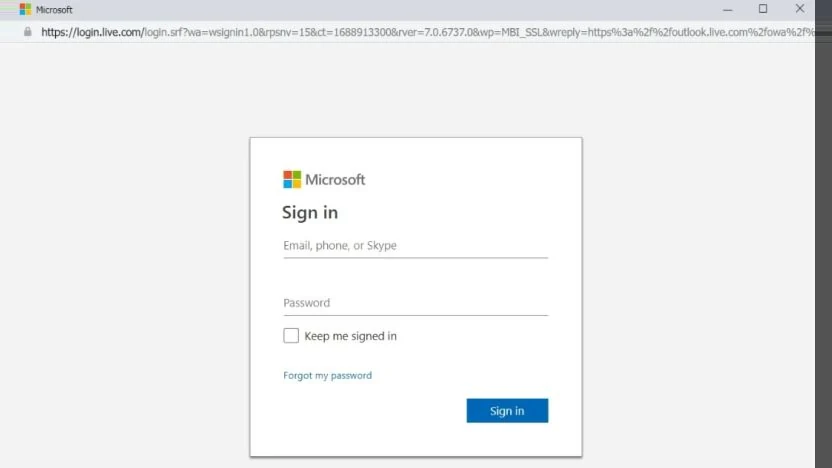
This is the case that actually matters, and it's worth being precise about what counts: a password, an MFA code, your email address on what looked like a login page, payment details, or any personal information into a form. If any of that happened, treat it as a real credential compromise and work through this list:
- Change the password immediately on the real site, not through any link from the phishing message. Navigate there yourself or use a saved bookmark.
- Change it anywhere else you reused it. If that password is used on other accounts, change those too. This is usually the actual damage vector. Once an attacker gets a password from a victim, the first thing they do is try your email/password combination on a bunch of other common services.
- Check that MFA is still enabled. Attackers who get into an account sometimes disable multi-factor authentication first thing, to make it easier to get back in later. If it's been turned off and you didn't do it, that's a sign someone else already has access.
- Check account recovery details. Look at the recovery email and phone number on the account. If either has been changed to something you don't recognize, that's a strong signal of active compromise, not just a close call.
- If it was an email account, check for inbox rules or forwarding filters. This is the one most people don't think to check, and it's a common way attackers maintain quiet access as this is a rule that silently forwards or archives certain messages so you never see them, letting them read password resets or sensitive mail going forward. Check your filters and forwarding settings even if the login itself looks normal.
If you're not sure whether you entered anything, or you opened an attachment rather than just a link, it's worth working through this list anyway. The cost of an unnecessary password change is a few minutes; the cost of skipping it when it mattered is much higher.
Report it even if you didn't click "enter" on anything
It's worth flagging the message before opening it further spreads it, but reporting after the fact still matters, for a simple reason: reporting is what lets someone else block it before it reaches the next person.
If you're in a work environment, tell IT or your security team, even if you're embarrassed, even if you're fairly sure nothing happened. This is genuinely one of the few places where the instinct to stay quiet is worse than the mistake itself. If a security team that hears about a phishing click can often contain it before it spreads; a team that finds out three weeks later after other people clicked the same link is dealing with a much bigger problem that started the same way. No reasonable security team punishes someone for clicking a phishing link as everyone eventually does (seriously, the stats on how many people get caught are amazing). What they actually care about is finding out fast.
If it's a personal account, there's no IT team to notify, but most email providers have a "report phishing" option worth using it helps their filters catch the next one. Just know that clicking once, even without entering anything, may mean more attempts land in your inbox for a while. That's normal, not a sign anything deeper is wrong.
The short version
- Just loaded the page, up-to-date browser, entered nothing → low risk, report it, move on.
- Opened an attachment or ran a download → treat it like the credential-compromise case below, even without a password involved.
- Entered a password, code, or personal info anywhere on the page → change that password and anywhere it's reused, check MFA, check recovery details, check inbox rules if it was email.
- Either way, report it. Silence is the actual mistake here, not the click.